Agronomy & EstateDaily harvest records and FFB dispatch notes · 1:16
 1:16
1:16
Step transcript (8 steps)
- The harvest foreman opens the Daily Harvest BKM
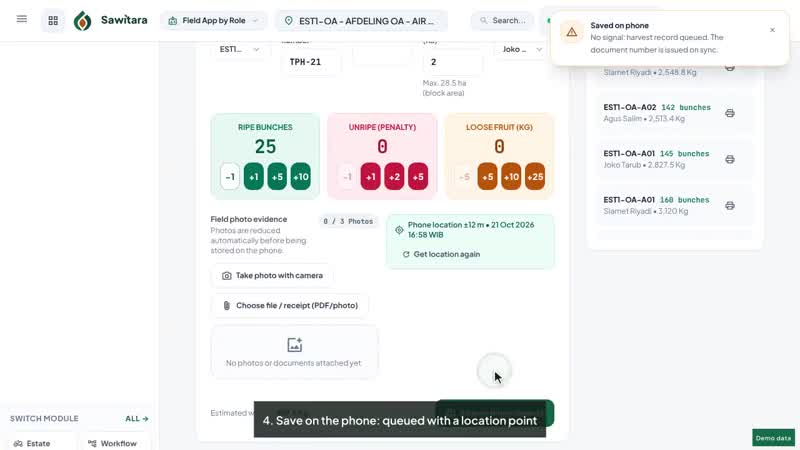
- Choose block, collection point (TPH), harvesting round, foreman and harvesters
- Enter bunches by ripeness grade, harvested area and loose fruit
- Save the BKM: the server calculates premiums and estimated tonnage
- The crop clerk issues an FFB dispatch note (SPB)
- Load bunches from the block's uncollected crop
- Load estimate is calculated as bunches x the block's average bunch weight
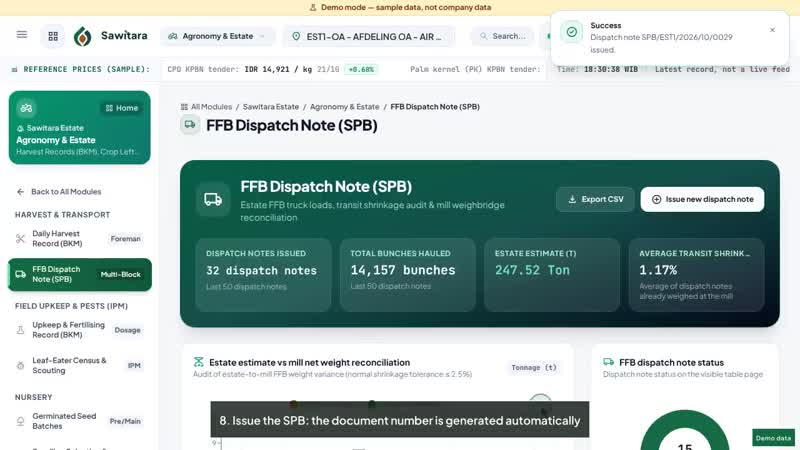
- Issue the SPB: the document number is generated automatically
Read the narration transcript
- Sawitara Estate, Agronomy and Estate module, with demo data.
- The harvest foreman opens the foreman's workbook, the daily harvest BKM.
- Choose the block, collection point number, harvesting round, foreman and harvesters.
- Bunches are recorded by ripeness grade, together with harvested area and loose fruit.
- On saving, the server calculates premiums and estimated tonnage.
- The crop clerk then issues an FFB dispatch note: source division, destination mill and truck.
- Bunches are loaded from the block's uncollected crop, so fruit left behind stays visible.
- The load estimate is bunches times the block's average bunch weight.
- The dispatch note is issued with an automatic number and waits to be weighed at the mill.
- Schedule a demo at sawitara.com.