
One platform under every product
A palm oil plantation ecosystem connected from estate and mill to general ledger, with anomaly sentinels and an AI assistant that help keep watch over the numbers.
Two product families on one platform
Family A is used by growers and partners straight from the phone. Family B is installed for a mill or company on Sawitara Core.
- Available in the code today and tested
- Preview partly available, with limits stated
- Coming soon planned or in development, not available yet
Apps for growers & partners
Used straight from the phone by growers, farm owners, agents and DO holders.
Systems for mills & companies
Installed for one company: mill, estate and head office.
The apps in family A connect to the systems in family B only when the grower agrees.
Recorded once, reused across products
A dispatch note from Sawitara Estate is picked at the Sawitara Mill weighbridge, grading cuts the ticket weight, the daily report computes extraction, sales become receivables, and every money transaction posts its own journal in Sawitara Finance.
The shared foundation
The shared foundation of every product: accounts and multi-level organisation, role-based permissions, master data, audit trail, on-screen settings, backups, API, an Indonesian and English interface, and demo mode. Not sold separately.
Multi-level organisation
Holding, region, estate, division, mill and ramp with per-unit data isolation; head office can pick a unit or see all.
Role-based permissions
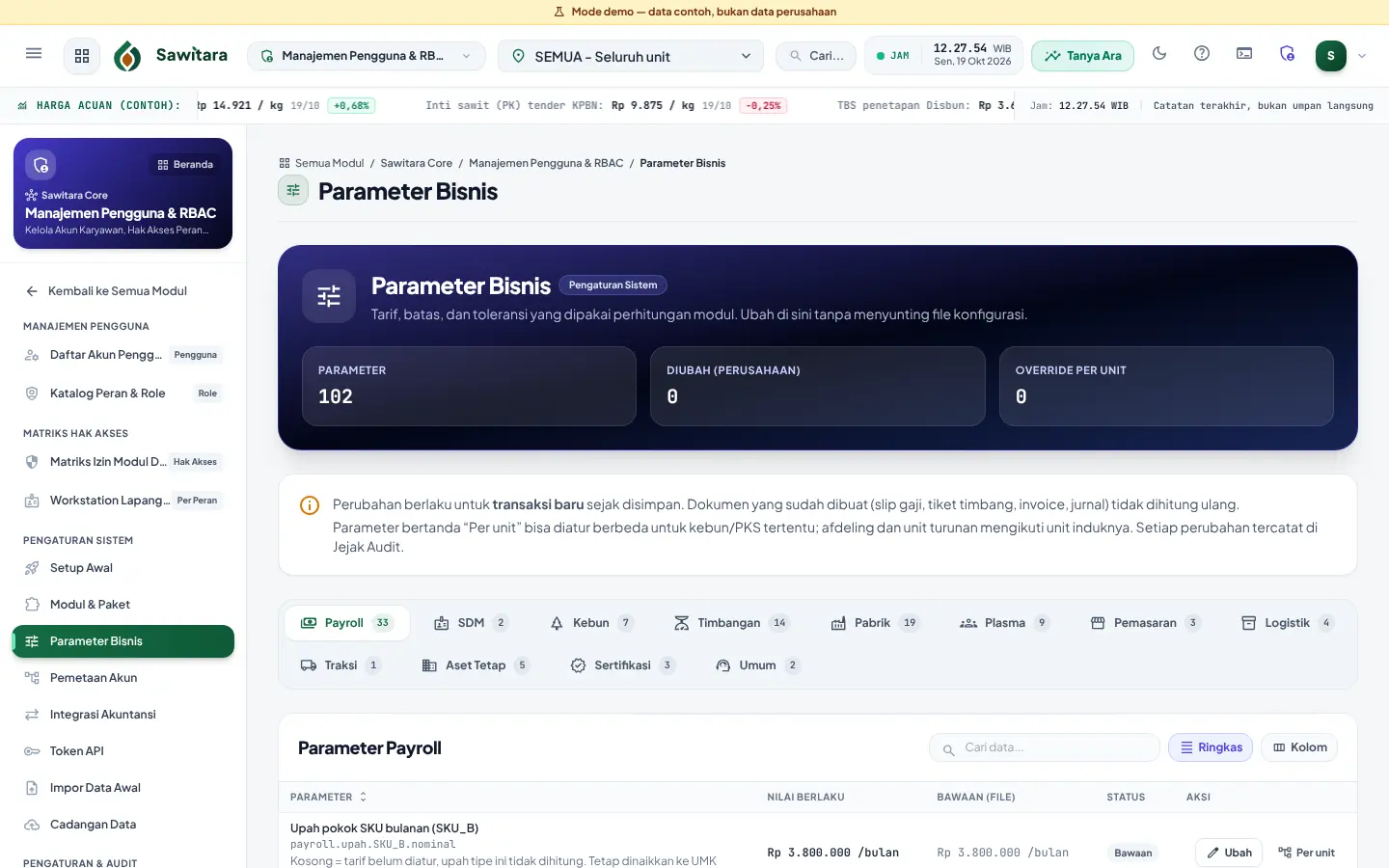
Role Catalogue and Module Permission Matrix: View/Create/Edit/Delete/Approve per role and module, a landing page per role after sign-in, and segregation of duties.
Value Chain Map and Transaction Catalogue
The Value Chain Map shows the flow from estate to ledger in cards and diagrams; the Transaction Catalogue and the search box (Ctrl K) take users straight to the transaction screens they may open.
Master data and audit trail
One master data set for every product; every change logged with before and after values.
Configured on screen
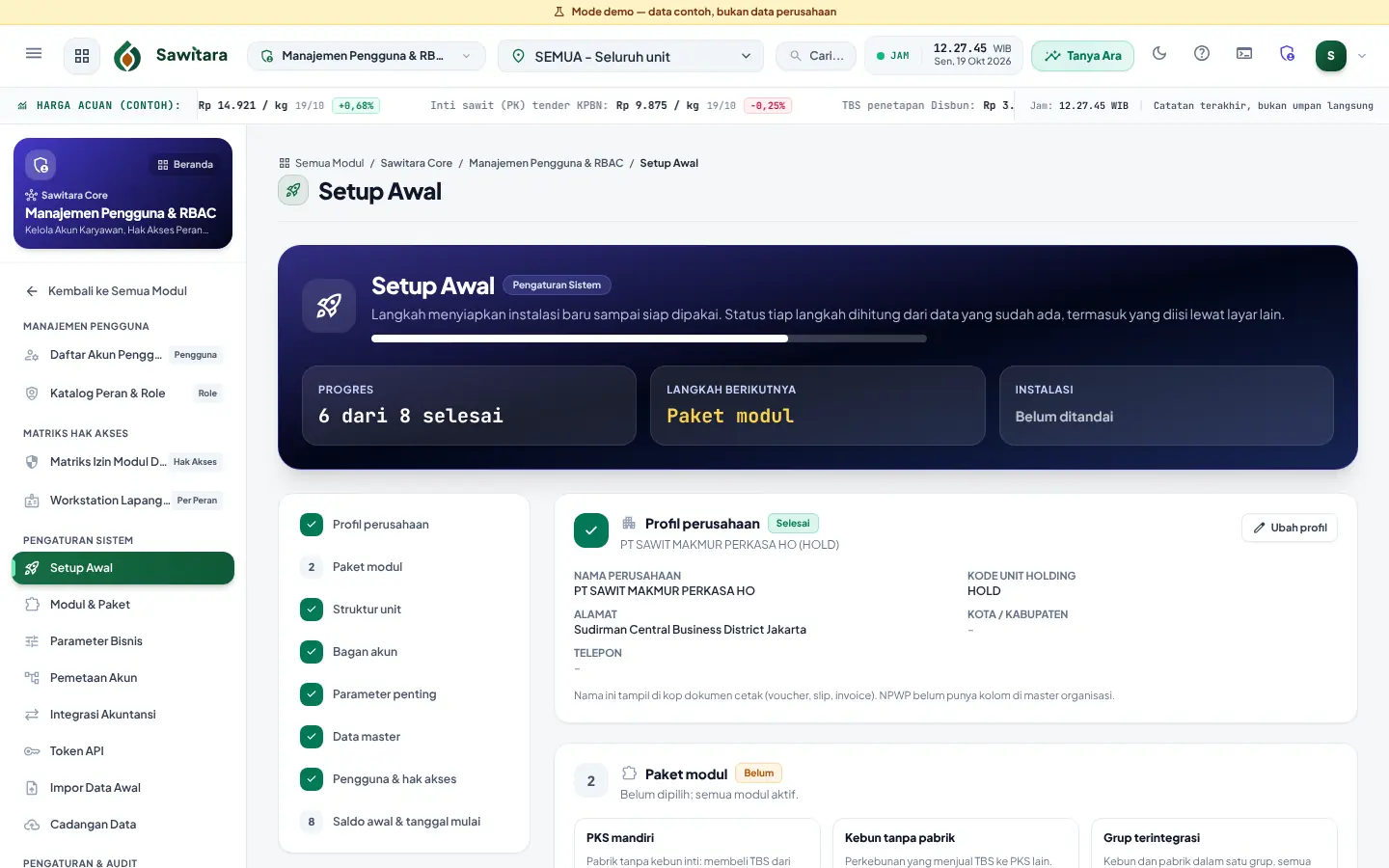
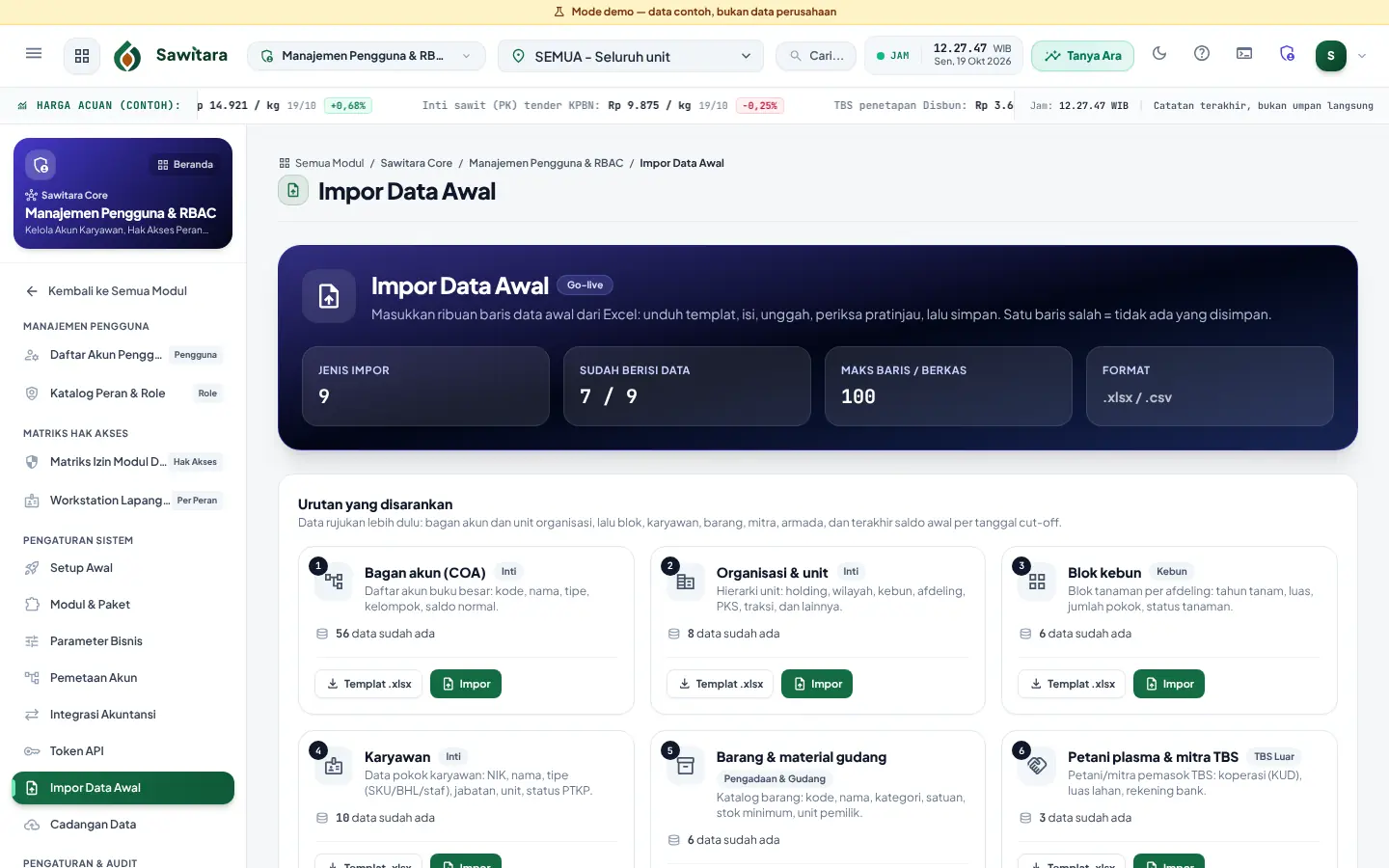
Modules & Packages, Business Parameters globally or per unit, Account Mapping, an 8-step Initial Setup and Excel data import.
Backups
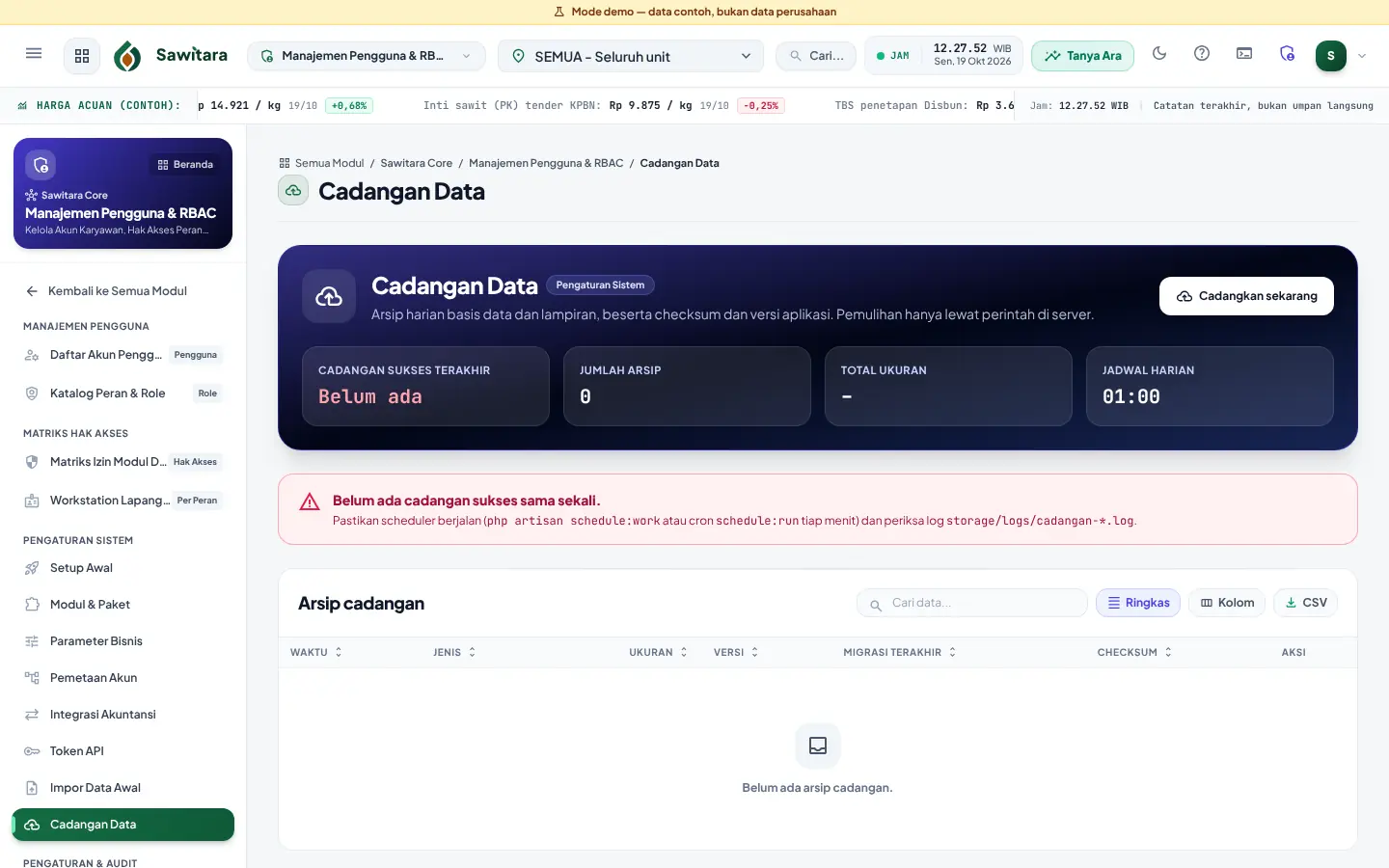
Automatic daily backups with checksums, layered retention and an optional second copy off the server.
API and demo mode
Token-based read API v1 (journals and traceability) for IT teams and partners, and a demo mode: one-click sign-in per role on the Try page, with safety guards and sample data reset regularly.
Two interface languages
Indonesian or English per user, chosen in the profile menu; screens of every product and Tandan are translated. Official printed documents (tickets, receipts, slips, invoices) stay in Indonesian.
Ara across every product
Ara reads data from Estate, Mill and Finance. Its sentinels are fixed rules that run every hour on your server: crop left over 24 hours, bunch weight out of range, OER below threshold, diesel ratio above limit, large fund requests and stock below reorder point.
The assistant (Ask Ara) answers in everyday language using operational data summaries, only after the customer configures an AI provider. Answers can be wrong; always check the source screen.
About Ara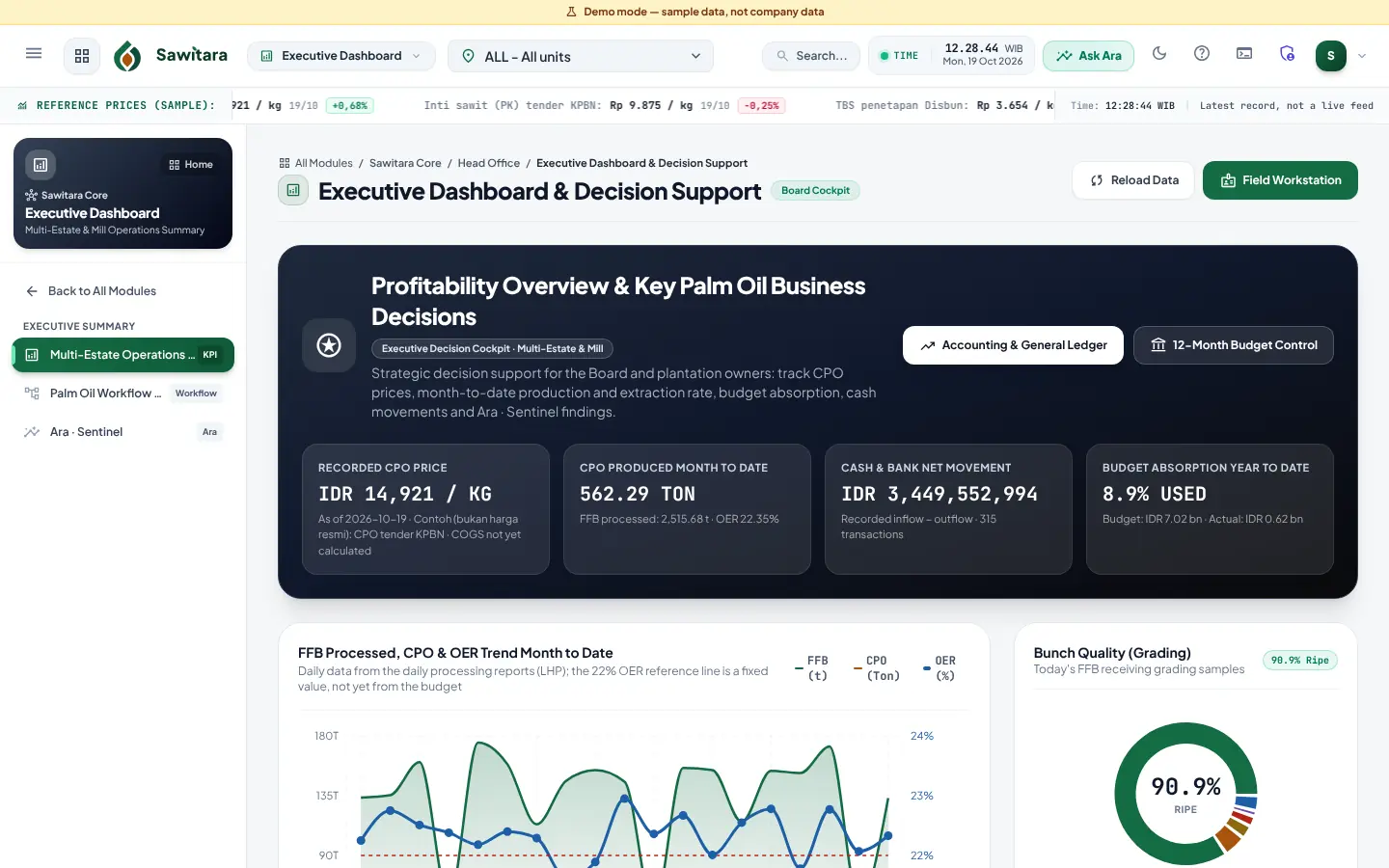
Integration and API
What connects today, and what is still planned.
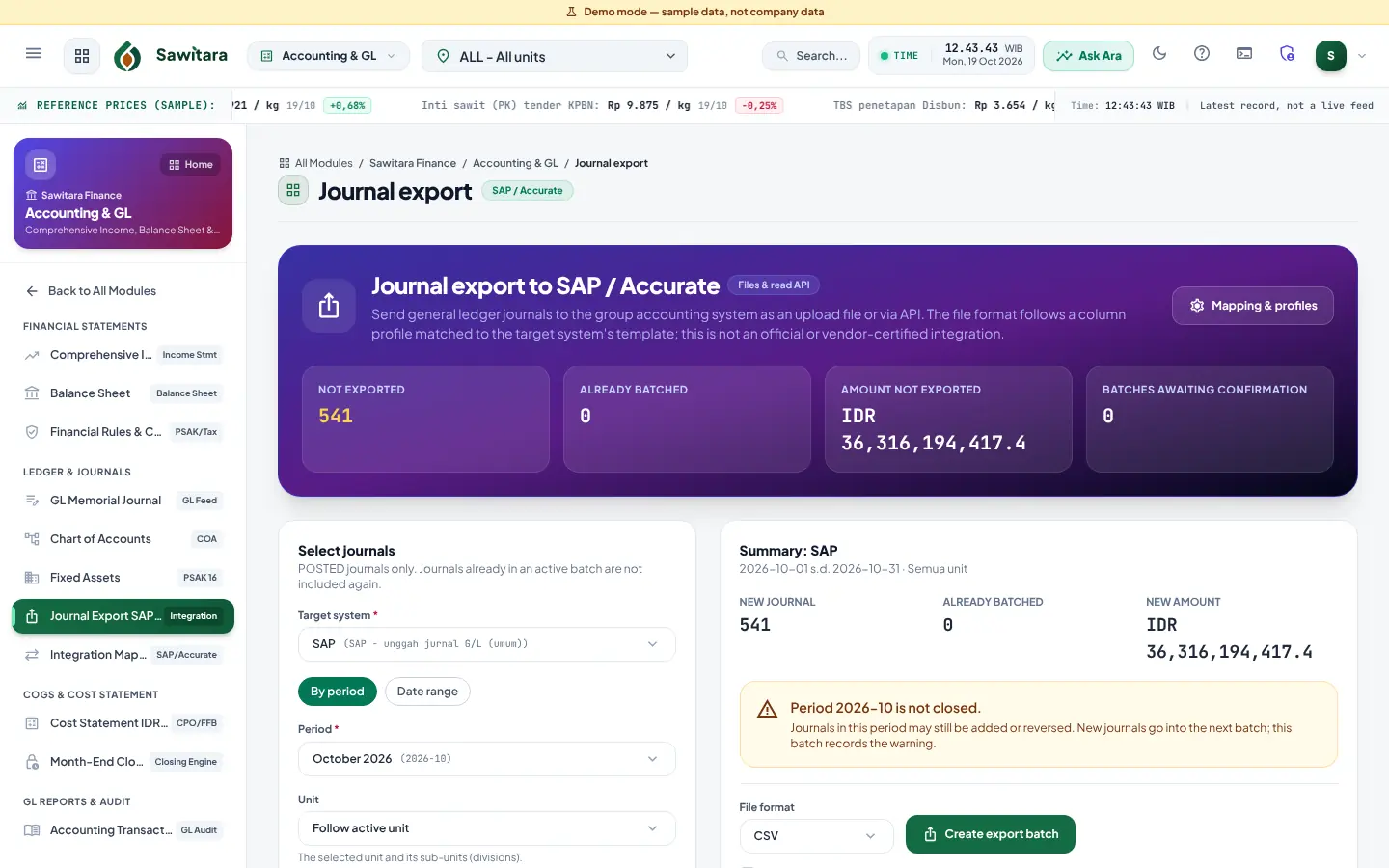
- AvailableJournal export to SAP and Accurate
CSV/Excel batches following account, unit and column profile mapping. Not an official or certified vendor integration.
- AvailableJournal read API (v1)
GET journals and batches with per-system tokens (scoped by unit and expiry, revocable) and rate limits; the only write is marking a batch received.
- AvailableTraceability read API (v1)
Plots with GeoJSON, EUDR and STDB readiness, period TTP and a DDS data pack per DO or contract (Preview: based on the production period), for buyers or partners chosen by the customer; separate token capabilities, national ID numbers masked unless specifically allowed.
- AvailablePublic FFB price as JSON
Every public mill FFB price page has an open JSON version for widgets or integrations, without supplier or transaction data.
- PreviewWeighbridge agent
Reads the indicator over RS-232/USB-serial/TCP and sends to the server over HTTPS with a device token. Frame profiles not yet tested on a real indicator.
- Coming soonSawitara Hub for Tandan across mills
A small service that reads mill installations through token APIs so growers get one account; it stores no transactions.
API documentation and OpenAPI file
On-premise or managed
On-premise with Docker
Three services: application (Nginx + PHP-FPM), scheduler (daily backups and jobs) and a MariaDB database. Data lives on separate volumes; removing a container does not remove data.
On-premise without Docker
Nginx + PHP-FPM + MariaDB/MySQL on the company’s Linux server, with cron for the scheduler.
Managed
We run a dedicated installation for you: one separate project per customer with its own database, attachments and backups.
Minimum server
Per the installation guide: 64-bit Linux, 2 vCPU, 4 GB RAM, 40 GB disk plus backup space, an HTTPS reverse proxy and a correct server clock. Servers without internet still work; only the automatic ECB rate fetch is disabled.
Weighbridge agent Optional, per weighbridge
A single program for Windows 10/11 or Linux installed as a service on the PC connected to the indicator. The app must be reachable from that PC over HTTPS. Before weighing, the frame profile is matched to the indicator display in dry-run mode.
A guided go-live
Target, not a proven claim
We aim for go-live in one working day once initial data is ready. This is a process design, not a result measured across many customers.
- InstallationWith a standard mill/plantation chart of accounts, or empty to import your own.
- Initial Setup wizardCompany profile, module package, unit structure, chart of accounts, key parameters, master data, users, opening balances. Each step’s status is computed from data that actually exists.
- Initial data importFrom .xlsx templates; the preview shows errors per row without saving, and saving only succeeds when every row is valid.
- Backup and first transactionManual backup before and after import, then the first transaction at the weighbridge.
One day is only realistic when initial data has been cleaned in the templates beforehand. See the one-day go-live checklist.
Security and controls
Automatic daily backups
Database and attachments archived daily with SHA-256 checksums and a version manifest; daily, weekly and monthly retention. Second copy to NAS, S3-compatible storage or SFTP. Warning after 26 hours without a successful backup.
Tested restores
Restore checks checksums, refuses archives from newer versions and makes a safety backup first. Our automated test backs up, changes, restores, then compares every table.
Role-based permissions
The creator of a purchase request, order or fund request cannot approve it.
Per-unit data isolation
Field users only see and record data for their own unit.
Audit trail
Changes are logged with user, time and before and after values.
Period locks
Period closing locks transactions; reopening is for corrections only.
Keys, tokens and HTTPS
AI provider API keys (if used) are stored encrypted. Weighbridge device tokens and integration API tokens are shown once, stored as hashes and revocable. HTTPS terminates at your reverse proxy; it is also required for offline estate workstations and for the weighbridge agent.
Plan your implementation
We help assess initial data readiness and choose on-premise or managed deployment.