
Sawitara Estate
Harvest records (BKM), FFB dispatch notes (SPB), upkeep and fertilising, nursery, block maps, fleet, and field HR and payroll, with a field app on phones that keeps recording offline.
What Estate fixes
Written in a book, typed again
In blocks without signal, harvest output goes into a notebook and is typed again for premiums and payroll.
Entry locations cannot be checked
It is hard to confirm a harvest record was really made in the block it names.
Uncollected crop found too late
Bunches left in the field are only noticed after a night out, when free fatty acid has already risen.
Cost per block is blurred
Fertiliser, herbicide, diesel and wages are hard to charge to blocks, so cost per tonne stays unclear.
What exists today, and what comes next
Status is stated honestly against the application code.
- Available in the code today and tested
- Preview partly available, with limits stated
- Coming soon planned or in development, not available yet
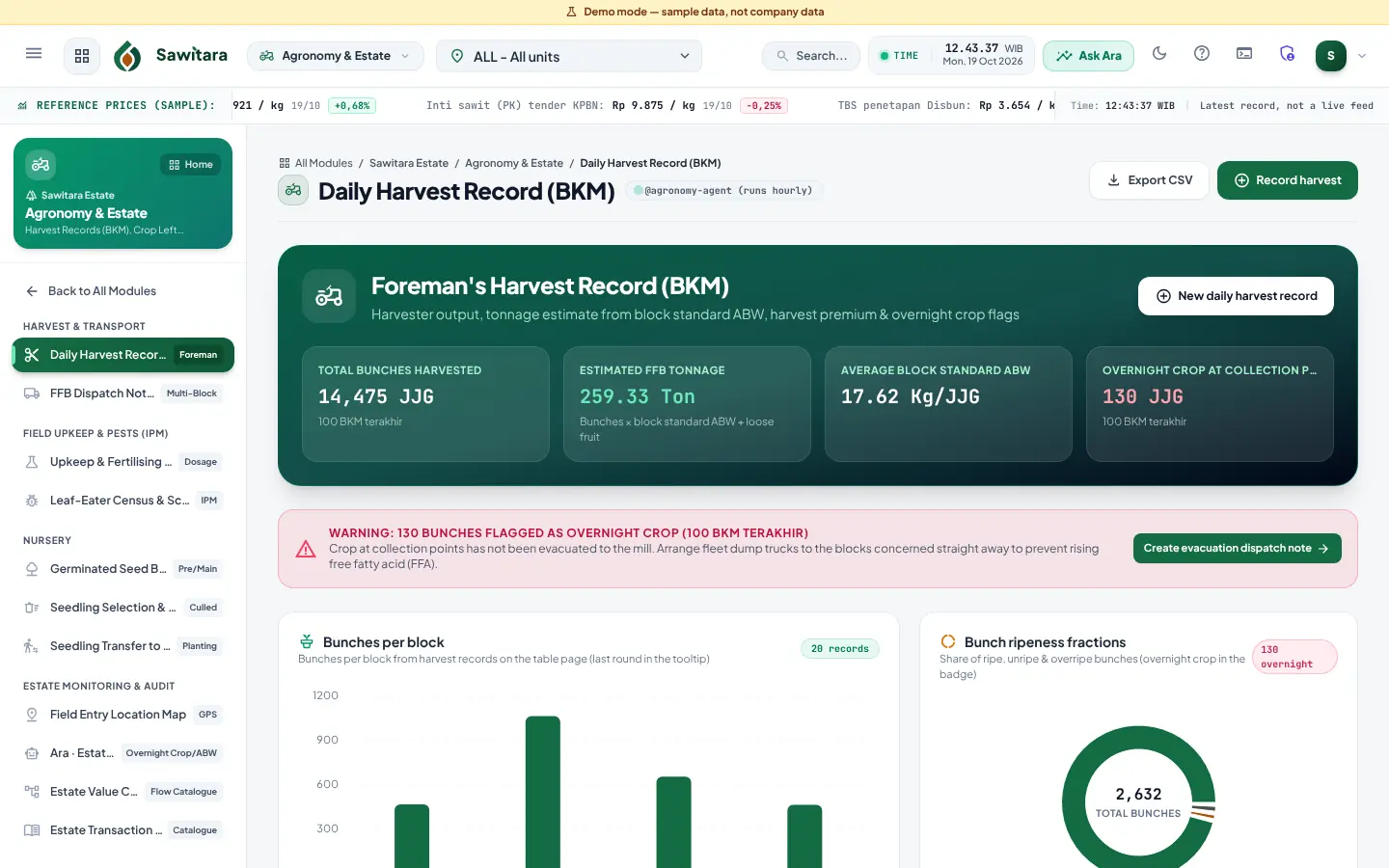
- AvailableHarvest records per harvester and collection point
Bunch grading, harvested area (capped at block area), loose fruit, uncollected status and phone photos; tonnage estimated from bunches × block average bunch weight.
- AvailablePremiums, penalties and wages calculated on the server
Calculated from the block premium base and carried into the payroll period.
- AvailablePremium and payslip on the harvester's phone
Harvesters open a personal PIN-protected link (no account, revocable, printed QR cards, also in bulk per division) and see their own daily harvest per block, premium basis and premium, quality penalties and monthly payslip; ID/EN and a last view offline. The premium rules are the same as the harvest record and payroll. The current month's payslip is labelled an estimate until payroll is posted; the official payslip is printed from Payroll, and there is no way to raise an objection from the phone yet.
- AvailableMulti-block FFB dispatch notes (SPB)
Load limit per truck; status changes to received once a Sawitara Mill weighbridge ticket is linked.
- AvailableQR dispatch notes and road checkpoints
Every dispatch note carries a single-use QR scanned at the estate gate, road checkpoints and the mill gate, offline too; warnings for the wrong checkpoint, unusual order or excessive travel time; the code expires at weigh-in; bunch and weight difference reports by route, driver and division. Unweighed dispatch notes can be cancelled with a reason.
- AvailableDispatch note cancellation with a reason
A dispatch note on the road that the mill has not yet weighed can be cancelled by an approver with a written reason (at least 10 characters). Its bunches return to the block as uncollected crop, who cancelled it and when is recorded, and a note already scanned at a road checkpoint is also reviewed by Ara · Sentinel because FFB can go missing on the road.
- AvailableUpkeep, fertilising and pest census
Material dosage per palm, costed at warehouse moving average; materials and fertilisers are picked from the Material Catalogue in Master Data; pest census flagged SAFE/ALERT/CRITICAL.
- AvailablePalm census (tree census)
The condition of each palm by block, row and number: productive, supply, dead, ganoderma-infected (with stage), abnormal or elite mother palm, with the officer, date, recommended action and GPS point when available. Planting year and variety come from the block master when left empty. Recorded while online; it does not go into the offline queue.
- AvailableNursery
Germinated seed batches, selection and culling, transfer of seedlings to the field.
- AvailableBlock maps, land titles and compensation
Block and concession boundaries as GeoJSON, plus land compensation records.
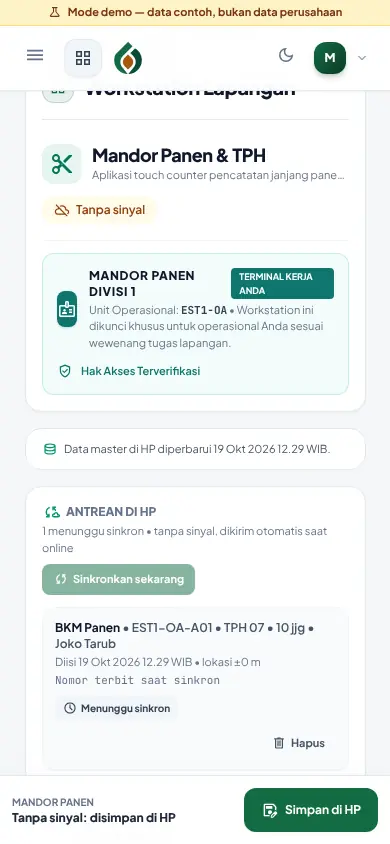
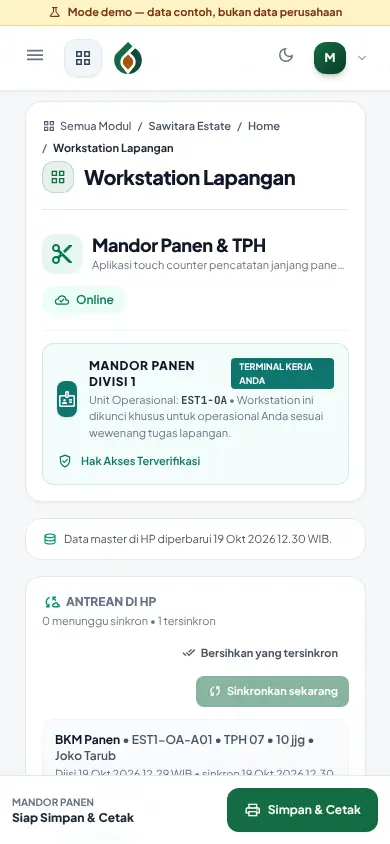
- AvailableOffline field app
Harvest records, dispatch notes, upkeep, pest census and culling are queued on the phone and sent when signal returns, without duplicates; document numbers are issued on sync.
- AvailableHigh-contrast display for bright sun
A high-contrast button darkens text and strengthens borders so the phone screen stays readable in bright sun, in light and dark mode; the choice is stored on the device.
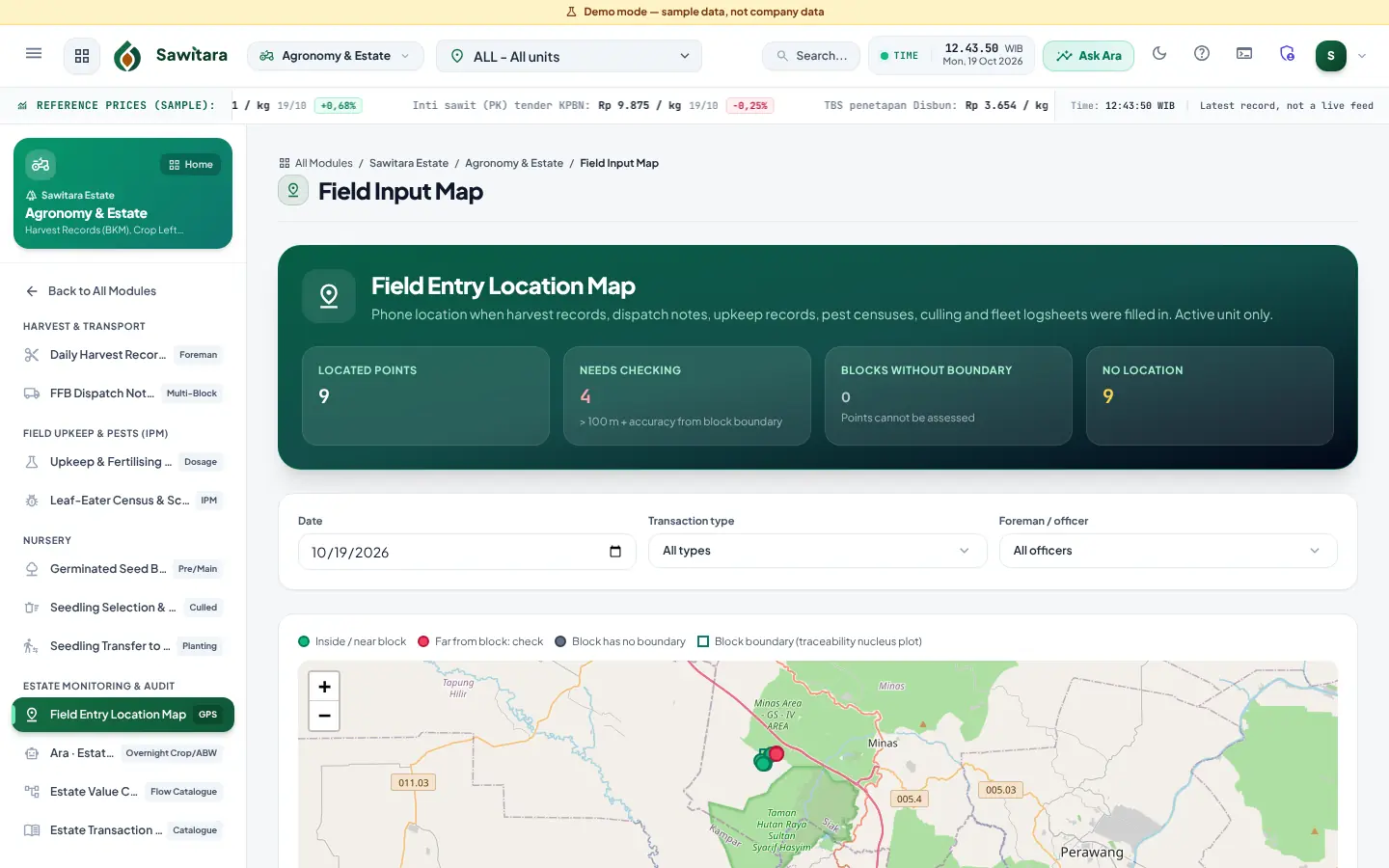
- AvailablePhone location, photos and entry map
GPS location and photo evidence per entry; points far from the block boundary (100 m by default plus GPS accuracy) are flagged for review.
- AvailableFleet and workshop
Hour/km meter and diesel logs with consumption ratios, phone logsheets (also offline), service work orders and cost clearing.
- AvailableField HR and payroll
Permanent and daily workers, daily attendance, premiums, overtime, rice ration in kind or cash, BPJS, PPh 21 (TER), payslips and bank payroll files.
- Coming soonManager summary on the phone
Daily summary for managers and role shortcuts in the field app.
Honest note: Offline mode covers only the estate flows above and fleet logsheets, and the app must be served over HTTPS. Location comes from the phone GPS; points can only be checked once a block has a boundary.
Screenshots and video tutorials
Videos are screen recordings of the app with demo data and Indonesian narration.
-
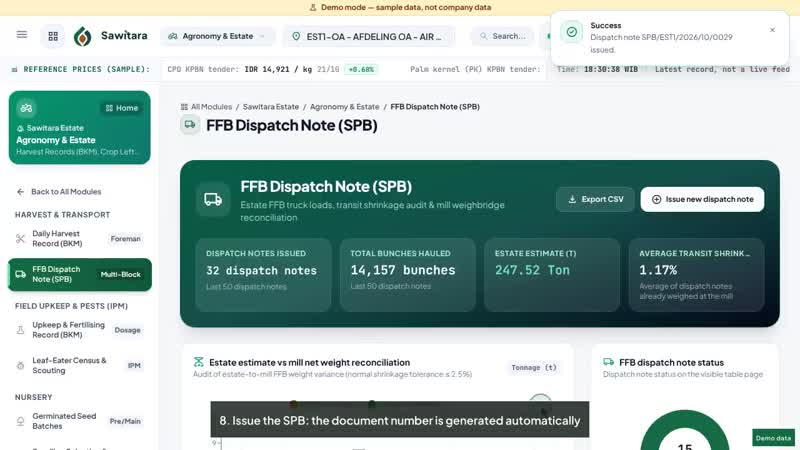 1:16Sawitara EstateAgronomy & EstateDaily harvest records and FFB dispatch notes
- The harvest foreman opens the Daily Harvest BKM
- Choose block, collection point (TPH), harvesting round, foreman and harvesters
- Enter bunches by ripeness grade, harvested area and loose fruit
-
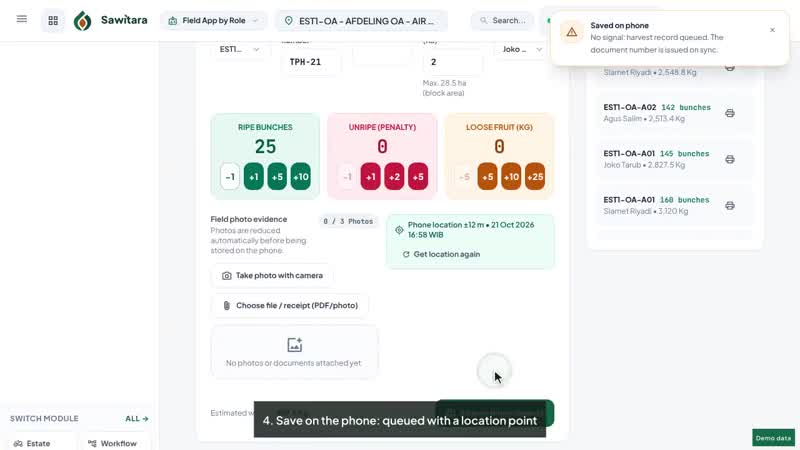 0:53Sawitara EstateField AppRole-based workstations that keep working without signal
- Field workstation: one screen per role
- Signal lost in the block: the app stays open from the phone
- Count bunches with +1, +5, +10 touch buttons
-
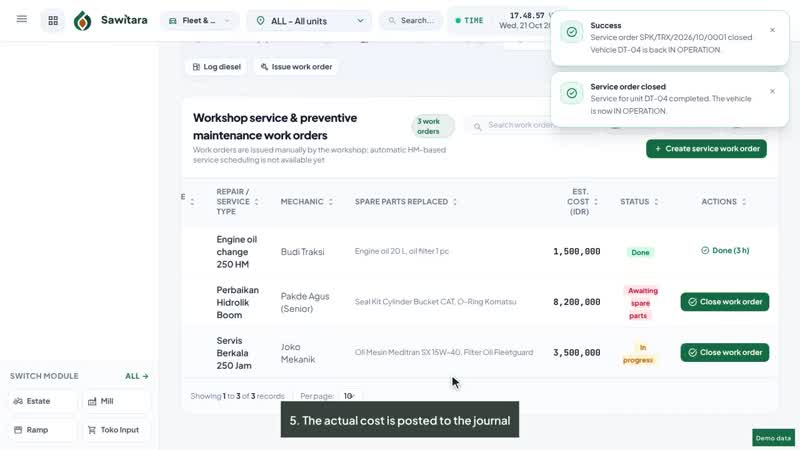 1:09Sawitara EstateFleet & WorkshopDiesel log, hour/km meters and workshop orders
- The mechanic records diesel fills and unit hour/km meters
- Save: the diesel consumption ratio is calculated automatically
- Issue a workshop service work order (SPK)
-
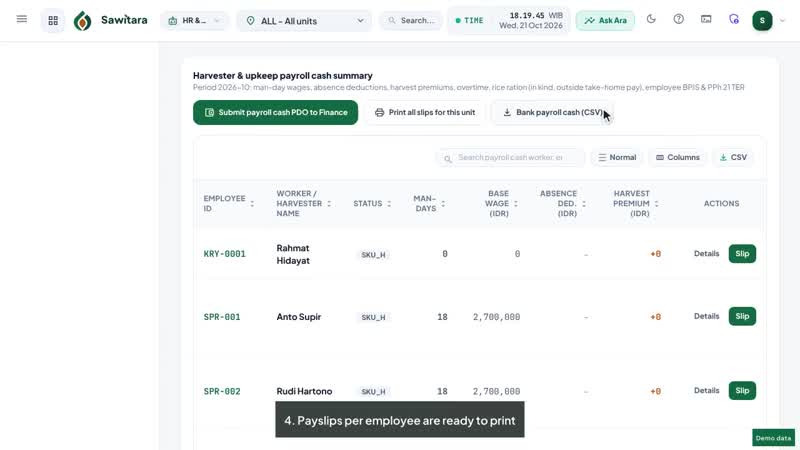 1:06Sawitara EstateHR & PayrollEmployees, attendance, pay and payslips
- Add an employee: status, PTKP, position and unit
- Daily attendance: present, sick, leave or holiday
- Payroll summary: premiums, overtime, BPJS and PPh 21 TER
-
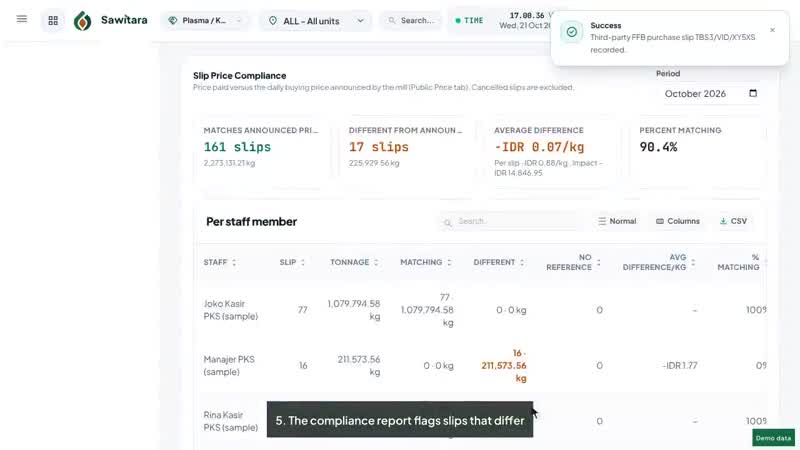 1:22Sawitara EstatePlasma PartnershipReference prices, FFB purchase slips, cooperatives and DO holders
- Disbun FFB price determination by palm age
- Third-party FFB purchase slip from a weighbridge ticket
- Price filled from the mill's reference price that day
-
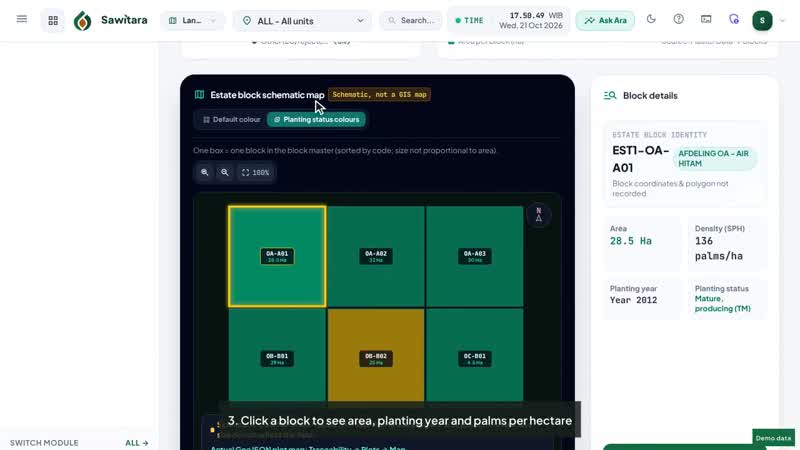 1:05Sawitara EstateLand Acquisition / GISBlock map, planting status and land acquisition files
- Schematic estate block map from block master data
- Colour blocks by planting status
- Click a block to see area, planting year and palms per hectare
-
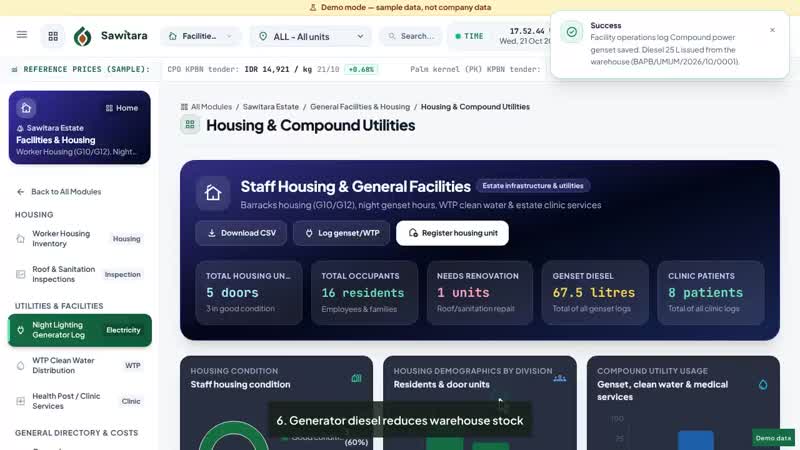 0:57Sawitara EstateHousing & UtilitiesWorker housing, inspections, generators, clean water and clinic
- Worker housing and quarters inventory
- New unit: building type, division, occupants and condition
- Roof and sanitation inspections
Who uses it
- Estate managers and division assistants
- Harvesting and upkeep foremen, crop clerks
- Estate administrators (KTU) and HR/payroll
- Mechanics and workshop heads
Connected to other products
- Sawitara MillEstate dispatch notes are picked at the weighbridge; the estimate is compared with net weight for transit shrinkage.
- Sawitara FinanceHarvest, payroll, fleet and warehouse issues post cost journals automatically.
- Sawitara TraceNucleus estate block boundaries become plots of origin for traceability.
- AraSentinels check crop left over 24 hours, unusual bunch weights and diesel ratios.
Quick answers
Does it work in blocks without signal?
Yes for harvest records, dispatch notes, upkeep, pest census, culling and fleet logsheets: entries queue on the phone and sync when signal returns. The app must be served over HTTPS and opened once while online.
Does Sawitara Estate require Sawitara Mill?
No. Estates selling FFB to other mills use Estate and Finance; dispatch notes are printed for the receiving mill. The automatic "received by mill" status only applies when that mill uses Sawitara Mill in the same installation.
Are premiums and payroll calculated automatically?
Yes. Premiums, penalties and daily wages are calculated on the server from the block premium base, and payroll applies BPJS and PPh 21 (TER) using rates set in Business Parameters.
See Estate with demo data
We walk you through the flow in 15 minutes and answer your team’s questions.